I have been so lucky today:
My wife made the final payment on my new camera; A Canon EOS 50D!
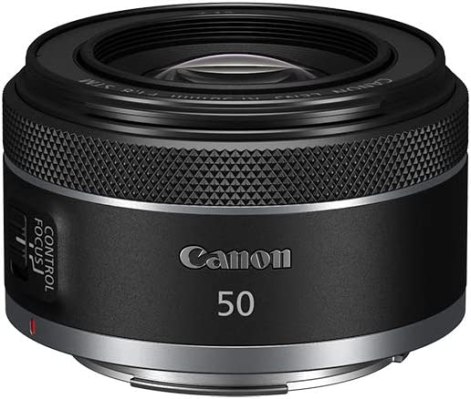
NOTE: The image above is NOT the camera I purchased, it is a Canon RF50mm 1.8 STM lens.
I’ve been wanting this camera for about two years. Despite the other new Canon’s that have arrived on the market during that time. Yeah, the 7D, the 1000D, plus a few others are pretty amazing, but I had my heart set on this camera. The upside being that I have watched it drop in price dramatically over the last few years. Some might say I paid a little more than I should have: I even discovered them on eBay for a far less price! Why pay so much? Read on…
The upside of purchasing through a reputable and dependable dealer – PhotoWholesalers – is that I also get continued customer service, support when I ask (because I am in their shop a lot!), plus a guaranteed warranty. Whilst eBay might give warrantys for products lost in the post, I doubt many sellers of used-products can give any type of warranty. Thus, I buy local whenever possible.
So you can imagine how happy I am tonight!
My wife and I had an amusing phone call late this afternoon. I rang from work to ask if she had removed it from the box yet – because I knew she would want to touch the new toy – to which she had a few sarcastic comments which gave us both a good laugh!
The features of this camera are interesting.
It has far superior layout of the menu structures, the use of a ’tilt’ button to navigate the rear view screen, plus the use of a scroll-wheel to move up and down on menus. It’s gst different to my Canon EOS 400D.
So tonight I show you one amazing feature.
The Canon 50D has ‘live view’ functionality.
I’ve always wondered why a pro camera would have this feature which is more commonly found on a happy-snap toy camera. See, I like putting a camera to my eye, steadying the shot, ensuring everything and I mean EVERYTHING is perfect before firing. So I read the instructions which explained the reasoning:
About Remote Live View Shooting:
Page 115, bottom of the page.
With EOS Utility (provided software) installed in your personal computer, you can connect the camera to the personal computer and shoot remotely while viewing the computer screen instead of the camera’s viewfinder.
This suddenly makes sense. You can be out on the shoot, either at an outdoor location with the main gear under a marquee or indoors with a family-photo sitting in progress – and all the while the camera is connected to a laptop, viewing the final results with Lightroom or similar.
This means you can show the customer the potential of the final product.
Better still, if you are doing a shoot where lots of little details need tweaking, you can see the FULL picture, not just the back of the camera. This means that ALL the fine details from corner to corner can be rearranged whilst you take photographs. My mind is spinning overtime with amazing ideas where I can utilise this feature!

About six months ago a colleague asked me what ‘Live View’ was all about. At that time I had done some research, but had no physical evidence to fully understand it. What I did read though is that whilst it is available on a few dSLR’s, it’s more a party-trick or a feature that most average photographers won’t seriously need. I had enough evidence to say at that time that “I seriously doubt a pro would use this, there is no real need for it!” I now edit my comment by adding this : “…OTHER than when/if connected to a laptop.”
That’s all I have to say about this camera at this time. I may do reviews on many of the camera gear I’ve accumulated. Watch out for them!
The restless photographer,never seems to have enough equipment.
– Edsel Adams
Discover more from The Entrepreneurial Life of Stephen Mitchell
Subscribe to get the latest posts sent to your email.
 The Entrepreneurial Life of Stephen Mitchell